
The Klipspringer music playing software was created for playing lossless audio files (transferred from CDs, bought online, or whatever) but has more possible uses. Below are the main usage scenarios, the first three of which can be combined in the same installation.
Speaker playback
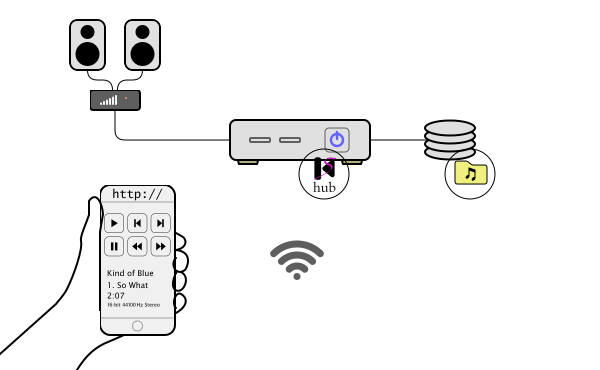
You connect an audio output of a computer to your stereo (or active speakers or whatever), effectively making the computer a part of your stereo equipment. It can be a small single-board or barebone computer, without any screen or keyboard, on your local network and with your audio files (FLAC, WAV, Ogg Vorbis, or AIFF) in its file system on a local or remote disk. You run the Klipspringer hub software set up with a source for the audio files. Now you can choose audio files to play, using a smartphone, a laptop, or any other client with a web browser, and control playback much like you would use a remote to control a CD player. You can also connect a CD drive to the computer and set up a source to play physical CDs, remotely controlled via the Klipspringer interface.
There is a blog post with screenshots of this scenario (and the next one).
Streaming
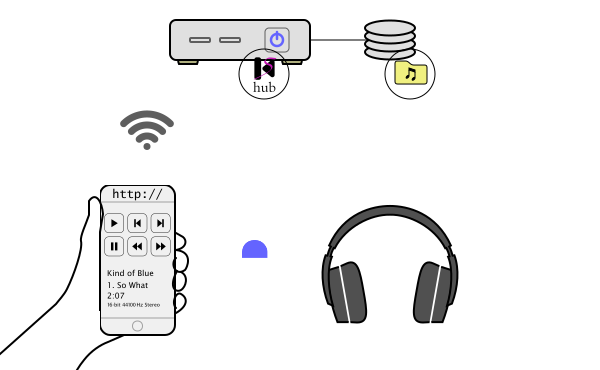
With the same configuration as for speaker playback, you can easily add an alternative streaming source (and of course the computer doesn’t have to be connected to any speakers if you only use it for streaming). Streamed audio is played on the client (in the web browser) on the same smartphone or other client you use to control playback, so you get your own streaming service on your local network for listening to your audio file collection, completely lossless if you use FLAC streaming.
The same screenshot blog post applies as for speaker playback.
Recording or live streaming audio
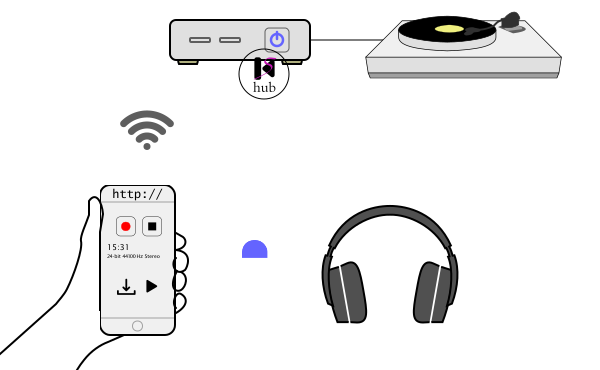
Configuring an audio device source to your Klipspringer hub lets you monitor and record audio as it is sent to the stereo computer, for instance from a turntable via an ADC. You browse and download recordings through a recordings source. This is a convenient way of digitalizing analog audio or capturing digital audio. It can also be used without recording, to stream audio digitally to anywhere within reach of your local network.
See screenshots and configuration tips in this blog post.
Developing Java audio software

A subset of the Klipspringer software is available as the Klipspringer codec library of Java classes for use in other projects to decode files and encode files or streams in the FLAC and Ogg Vorbis formats, to decode Opus, and to encode MP3.
Contact
You can contact me, Jesper Larsson, the author and maintainer of Klipspringer and this website, via email njlarsson at avadeaux dot net, or by leaving a comment on the blog.