Recently, I realized that I hadn’t made use of the full sound quality capability of my stereo for a couple of years, because I had got the sound device setting on my stereo computer wrong. Read on to learn from my mistake.
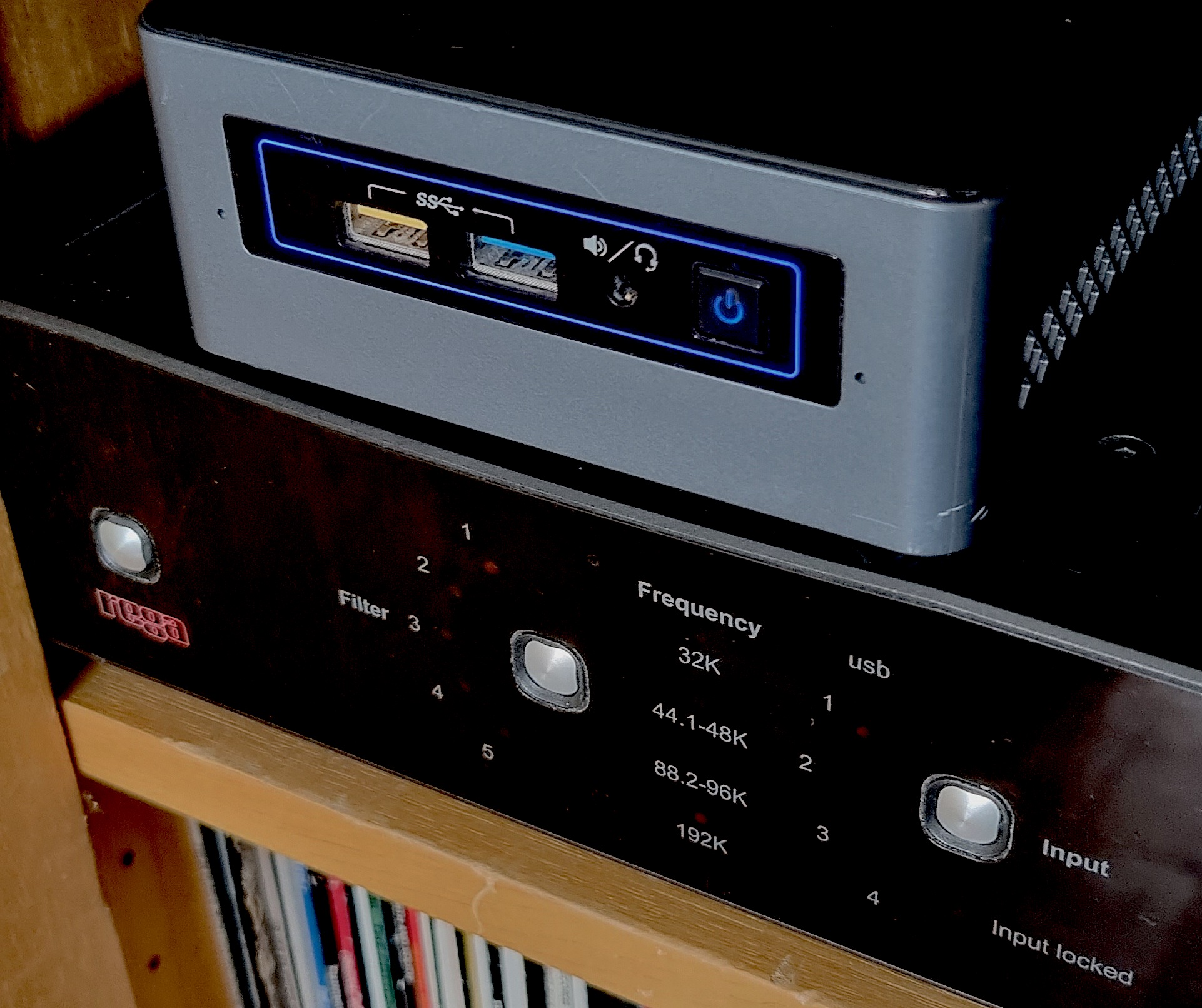
I mainly listen to music from a computer I’ve got for that purpose, placed among my stereo gear. It’s an Intel NUC NUC6CAYH that I bought in 2017, which is perfect for the task in that it has an optical S/PDIF output that I connect to my Rega DAC. It runs Ubuntu Linux, and my Klipspringer hub under that.
When I check what audio outputs are available with klipdevices -o, I get:
"default [default]" (Direct Audio Device: default, default, default)
"PCH [plughw:0,0]" (Direct Audio Device: HDA Intel PCH, ALC283 Analog, ALC283 Analog)
"PCH [plughw:0,1]" (Direct Audio Device: HDA Intel PCH, ALC283 Digital, ALC283 Digital)
"PCH [plughw:0,3]" (Direct Audio Device: HDA Intel PCH, HDMI 0, HDMI 0)
"PCH [plughw:0,7]" (Direct Audio Device: HDA Intel PCH, HDMI 1, HDMI 1)
"PCH [plughw:0,8]" (Direct Audio Device: HDA Intel PCH, HDMI 2, HDMI 2)
"klipalsa:hw:0,0" (HDA Intel PCH, ALC283 Analog)
"klipalsa:plughw:0,0" (HDA Intel PCH, ALC283 Analog)
"klipalsa:hw:0,1" (HDA Intel PCH, ALC283 Digital)
"klipalsa:plughw:0,1" (HDA Intel PCH, ALC283 Digital)
"klipalsa:hw:0,3" (HDA Intel PCH, HDMI 0)
"klipalsa:plughw:0,3" (HDA Intel PCH, HDMI 0)
"klipalsa:hw:0,7" (HDA Intel PCH, HDMI 1)
"klipalsa:plughw:0,7" (HDA Intel PCH, HDMI 1)
"klipalsa:hw:0,8" (HDA Intel PCH, HDMI 2)
"klipalsa:plughw:0,8" (HDA Intel PCH, HDMI 2)
Testing them through, I’ve found that both the “0,0” (card 0, device 0) and “0,1” alternatives work. (They each appear in three different guises in the list, one that goes through the Java sound system and two through the ALSA module.) They send output through the S/PDIF to my DAC, and there’s no obvious difference between device 0 and 1. But, as it turns out, there is a nonobvious difference…
In January this year, I upgraded the operating system to Ubuntu 22.04, and when I reinstalled Klipspringer after that, I looked a little deeper to find out what those devices were. Notice that at the time device 0 is “analog” while device 1 is “digital”. (At the time, klipdevices didn’t provide this information, but I got it with aplay -l.)
I’ve seen this kind of separation before, and never quite managed to make sense of it, because as far as I know, everything about this is digital: the audio files are digital, and the data is sent digitally through the optical cable (there’s no other way) so what’s “analog” supposed to mean? There’s no easily detectable difference in what gets sent to the DAC: when I play audio files with different sample frequencies, the correct LEDs on the DAC light up, so that should mean that the data is just passed on in both cases, shouldn’t it? Anyway, I set it to the “digital” device 1 now, because it is digital after all.
It took a few days or weeks before I started to get the feeling that something was different. It sounded subtly better than before! It was particularly noticeable with brass instruments, that had a tingle or a shimmer that I didn’t think they had before, and the sound had overall slightly better dynamics and resolution. At first, I didn’t understand it at all, but then it dawned on me that I might have used a different sound device setting than before.
I always find it difficult to tell what sounds better in a direct comparison. Does this sound better than that, or am I just imagining it? It’s only after listening for longer periods, without focusing too much on the sound quality, that subtle differences begin to be clear. So when I tried to compare the sound via the two devices, I couldn’t quite convince myself that the difference existed anywhere else than in my brain, because why should there be any difference!
Then one day, I tried to listen to an album that I had in an unusual format, 24-bit 88.2 kHz, and the sound came out horribly distorted. Since it hadn’t been this way before, I thought that I must have had introduced an error in my code recently, an endianness problem or something, and spent several hours trying to debug it. But I couldn’t find any problem in my code, and I realized that the same problem remained with other audio playing software, but it existed only when playing on the “digital” device 1, not on the “analog” device 0. This proves that there is definitely a difference in what data reaches the DAC depending on which device is used! So there we have it: the reason why I think it sounds better with device 1 than with device 0 is most likely that with device 1, the sound data gets sent to the DAC in unaltered form, while with device 0, the computer somehow tampers with it.
What can the problem with the distorted sound be? My only explanation is that my DAC has a problem handling that 88.2 kHz data. The problem isn’t that the bitrate is beyond the limit of the optical cable (which can happen if the cable is damaged), because if I upsample to 96 kHz, it sounds just fine. Very strange (but looking around the internet, I found a discussion thread where at least one other person asked about this problem). I have the same problem on the only other album I have with that sampling frequency, and I get the same problem when I generate files in 88.2 kHz.
And what about the “analog” device, what does the system actually do there? I’m not quite sure, but I found a Reddit discussion about the phenomenon that confirms that I’m not just imagining the difference. Some people in that thread voice the opinion that the “analog” device is the best choice, which I find a bit crazy, but I suppose it depends on what you want, it might be better in some setups without an external DAC. But in my case, the DAC, which I paid more than than five times more for than the computer, should obviously get the audio data unaltered to perform its best. Except in the case of 88.2 kHz, that is.